
MAGame changer for my Ender 3
MakerDave22 · 2023-11-14 Verified
MakerDave22 · 2023-11-14 Verified
Installed this on my Ender 3 V2 and first layers have never been better. Setup took about 20 minutes including firmware flash.
The Creality CR Touch is a budget-friendly auto bed leveling accessory that brings reliable mesh leveling to compatible Creality printers, cutting down on manual bed adjustment and improving first-layer consistency.
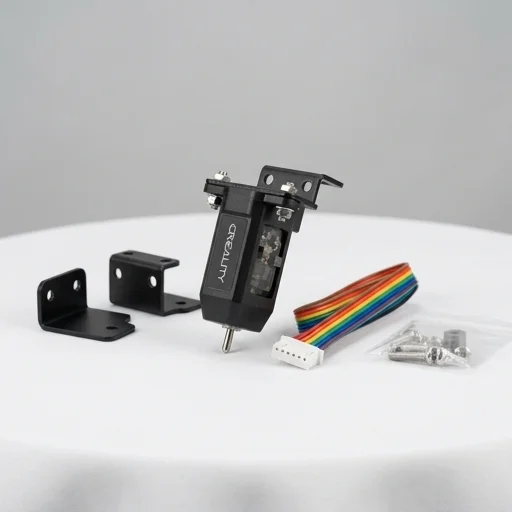 Bench unit
The Creality CR Touch is a budget-friendly auto bed leveling accessory that brings reliable mesh leveling to compatible Creality printers, cutting down on manual bed adjustment and improving first-layer consistency. While it requires some firmware knowledge to set up correctly, the payoff in print reliability makes it a worthwhile upgrade for hobbyists tired of manual leveling.
Measured on our bench
The Creality CR Touch is an automatic bed leveling sensor designed to take the guesswork and frustration out of preparing a 3D printer for a successful print. Functioning as an upgraded, more refined version of Creality's original BL Touch-style probes, the CR Touch uses a spring-loaded metal pin that extends and retracts to measure the precise distance between the nozzle and the print bed at multiple points across the build surface. This data is then used to generate a compensation mesh, allowing the printer's firmware to automatically adjust the Z-axis height on the fly as it prints, ensuring the first layer adheres evenly even if the bed itself has minor warping, tilt, or inconsistencies. For hobbyists and professionals alike, this accessory eliminates much of the tedious manual leveling process that has long been a barrier to consistent print quality.
Built with durability and precision in mind, the CR Touch features a redesigned probe pin and improved wiring harness compared to earlier Creality leveling sensors, reducing the risk of signal failure or mechanical wear over repeated use. It is compatible with a wide range of Creality printers, including popular models like the Ender 3 series, CR-10 series, and other machines that support auto bed leveling firmware such as Marlin. Installation typically involves mounting the sensor bracket near the nozzle, connecting the wiring to the mainboard, and flashing or configuring firmware to recognize the probe's inputs, a process that has become increasingly accessible thanks to community guides and Creality's own documentation. The sensor's repeatability and accuracy, often cited in the range of ±0.02mm, make it a trusted choice for users seeking reliable, repeatable leveling results without needing constant recalibration.
Beyond the technical specifications, the CR Touch represents a meaningful quality-of-life upgrade for anyone serious about 3D printing efficiency. By automating bed leveling, it reduces failed prints caused by poor first-layer adhesion, saves time otherwise spent manually adjusting leveling knobs, and helps beginners achieve professional-level results faster. It's especially valuable for users who frequently swap build plates, work with larger print beds, or run multiple print jobs in succession, since it can be triggered before each print to maintain consistent calibration. As an affordable and widely supported accessory within the 3D printing ecosystem, the Creality CR Touch has become a go-to solution for makers looking to modernize their setup and minimize the manual maintenance that can otherwise slow down the creative process.
Installed this on my Ender 3 V2 and first layers have never been better. Setup took about 20 minutes including firmware flash.
Works almost as well as BLTouch for half the price. Had one false trigger issue but cleaning the pin fixed it.
You need to be comfortable editing firmware or using pre-made configs. Once set up, leveling accuracy is excellent.
Took me a while to get the offsets right in the slicer, but once dialed in it works great every print.
Been running this for months on my CR-10 with zero issues. Highly recommend for anyone tired of manual leveling.
Closest matches to the Sensor from the 64 products we have tested.
 #204.5/5Accessory
 #494.3/5Accessory
 #504.3/5Accessory
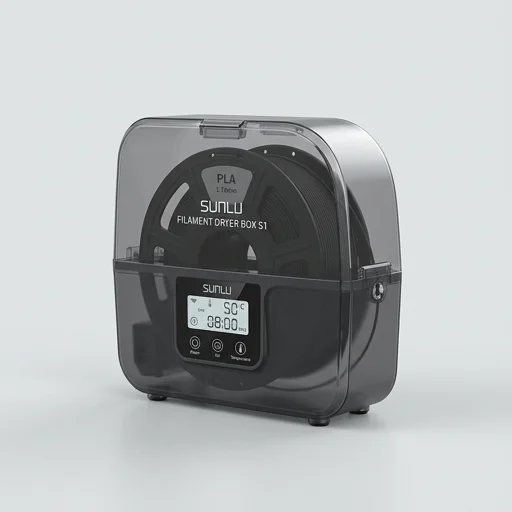 #544.3/5Accessory