Skip to content
PrintPlumeTested · Not Guessed

Browse

Printers38Materials11Gear & Upgrades9Software6

By use case

Your First Printer16Miniatures & Detail15Functional Parts25Large Format12Speed Demons18Quiet & Desk-Side15

Site

Home Editor's Top Picks Head-to-Head About
Slicer Software #3 in category 4.5/5

Ultimaker Cura

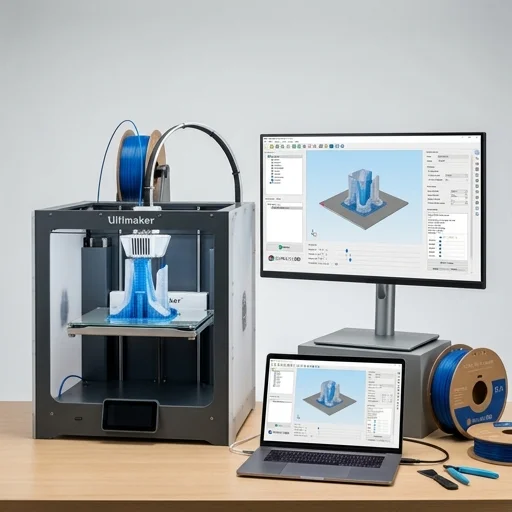
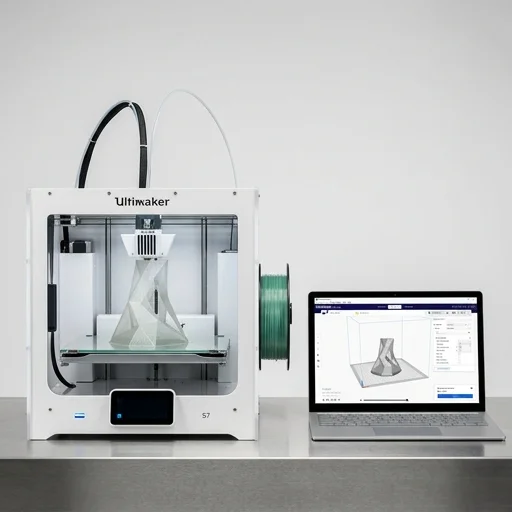
Ultimaker Cura remains one of the most trusted and widely used slicers in the 3D printing community, offering a powerful balance of accessibility for beginners and deep customization for experts.

Ultimaker CuraBench unit

Our verdict

Ultimaker Cura remains one of the most trusted and widely used slicers in the 3D printing community, offering a powerful balance of accessibility for beginners and deep customization for experts. While its performance on complex models and occasional post-update instability can be frustrating, its free, open-source nature and constant improvement make it a top choice for hobbyists and professionals alike.

Scorecard

Excellent
4.5
Overall
Feature Depth4.3
Learning Curve4.5
Stability4.7
Value4.9
Output Quality4.2

Specifications & bench data

Slicer Software
Supported OS
Windows, macOS, Linux
File Formats
STL, OBJ, 3MF, X3D
License
Open-source (LGPLv3)
Latest Version
5.7
Extruder Support
Up to 8 extruders

Measured on our bench

Slice time (50MB STL)
6 s
RAM at peak
4.2 GB
Crashes / 40 h
2
Profiles bundled
40

Key features

8
  • Over 400 preset printing profiles for various printers
  • Adjustable print settings for speed, quality, and strength
  • Support for tree and normal support structures
  • Compatible with STL, OBJ, 3MF, and other file formats
  • Plugin marketplace for extended functionality
  • Multi-extruder and multi-material printing support
  • Real-time print preview with layer-by-layer simulation
  • Open-source and free to use

The trade-off

What we liked 6
  • Completely free with no paywalled features
  • Regularly updated with active community support
  • Extensive material and printer profile library
  • Highly customizable slicing parameters for advanced users
  • Cross-platform availability on Windows, macOS, and Linux
  • Integrates well with Ultimaker hardware and third-party printers
What we didn't 4
  • Interface can feel cluttered with too many settings for beginners
  • Slicing large or complex models can be slow on older hardware
  • Occasional bugs after major version updates
  • Auto-generated supports sometimes require manual tweaking

Full review

345 words

Ultimaker Cura is the industry-leading slicer software that transforms your digital 3D models into precise instructions your 3D printer can understand. As free, open-source software trusted by millions of users worldwide, it takes STL, OBJ, or 3MF files and converts them into G-code, slicing your model into hundreds or thousands of thin horizontal layers while calculating exact print paths, temperatures, speeds, and support structures needed for a successful print. Compatible with over 400 3D printer profiles including Ultimaker's own hardware alongside many third-party machines, Cura has become a go-to solution for hobbyists, educators, engineers, and professionals who need reliable, repeatable results without wrestling with overly complex tools.

On the bench

What sets Cura apart is its balance between accessibility and depth. Beginners can rely on Recommended Mode, choosing simple presets for quality, speed, or material type and hitting slice with confidence, while advanced users can dive into Custom Mode, where over 400 settings become available for fine-tuning infill patterns, wall thickness, retraction settings, cooling profiles, and support generation. The software includes intelligent features like adaptive layer height, which automatically adjusts resolution based on model geometry to save time without sacrificing surface quality, and built-in supports that can be customized or painted away where unnecessary. Cura also integrates seamlessly with popular slicing plugins and material profiles from brands like Polymaker, BASF, and Ultimaker's own filament line, ensuring accurate temperature and flow settings straight out of the box.

Living with it

Beyond core slicing, Cura offers a robust ecosystem that extends its functionality significantly. The Marketplace lets users install plugins for post-processing scripts, custom supports, and cloud integration, while Ultimaker Digital Factory connects the software to networked printers for remote monitoring and print queue management across multiple machines. Its built-in preview mode provides a detailed layer-by-layer visualization, allowing users to inspect travel moves, retractions, and estimated print time and filament usage before committing resources to a physical print. Regularly updated with community feedback and backed by an active user forum, Ultimaker Cura remains a cornerstone tool in the 3D printing workflow, bridging the gap between raw digital designs and finished, functional printed parts.

What owners say

4 reviews
MTBest free slicer out there
Marcus T. · 2024-03-12
Verified

I've tried PrusaSlicer and Simplify3D, but I keep coming back to Cura. The profile presets save me so much time, and the community plugins add great extra functionality.

ERGreat features, steep learning curve
Elena R. · 2024-01-27
Verified

As a beginner, the sheer number of settings was overwhelming at first. Once I got the hang of it though, I realized how powerful this software really is.

DKReliable but can be sluggish
David K. · 2023-11-05
Verified

Works great with my custom printer profile, but slicing detailed models with lots of supports can take a while on my older laptop.

PSPerfect for my print farm
Priya S. · 2023-09-18
Verified

I manage multiple printers and Cura's multi-printer profile management combined with the plugin marketplace makes my workflow so much smoother.

Compare the field

All 4 Slicer Software reviews, scored on exactly the same tests.

Browse Software
Keep looking

Related on the bench

Closest matches to the Cura from the 64 products we have tested.